A basic firework recording can become a surprisingly convincing explosion sound effect. The key is not making it overly hyped or piling on processing for the sake of it. It is about choosing the right parts of the recording, arranging them with intention, and using processing to bring out the impact, weight, texture, and sense of distance.
This approach works well for realistic game sound design, film effects, and cinematic impacts. The same recording can also give you close, medium, and far explosion variations, which is useful when building a more immersive soundscape.
Start With the Right Firework Recordings
Before processing anything, go through the recording and find usable source material. Three things matter most.
- Close pops: Fireworks recorded closer to the source have more definition and impact. These are great starting points for explosion transients.
- Individual shots with long tails: Look for single events that ring out after the initial pop. These are useful as the foundation for your explosion tail.
- Sizzle and crackle: Small pops, fizz, and crackling can add texture and realism, especially in the tail of a medium or distant explosion.
You do not need an amazing source recording to get started. Even simple backyard fireworks can provide the transient, rumble, and debris-like texture needed to build something much bigger.
The important part is separating the recording into functional layers. Think in terms of:
- Initial impact
- Secondary impacts
- Mid tail
- Long tail
- Crackle and debris texture
Build the Explosion Around a Clear Cadence
A good explosion transient often has a recognizable rhythm. Instead of one undefined burst, use a cadence such as one two or one two three. Those quick initial pops tell the ear that something powerful just happened.
In this sound, multiple firework transients are layered and spaced slightly apart. The first hits establish the attack, while another transient supports the impact without making the beginning feel too flat or too synthetic.
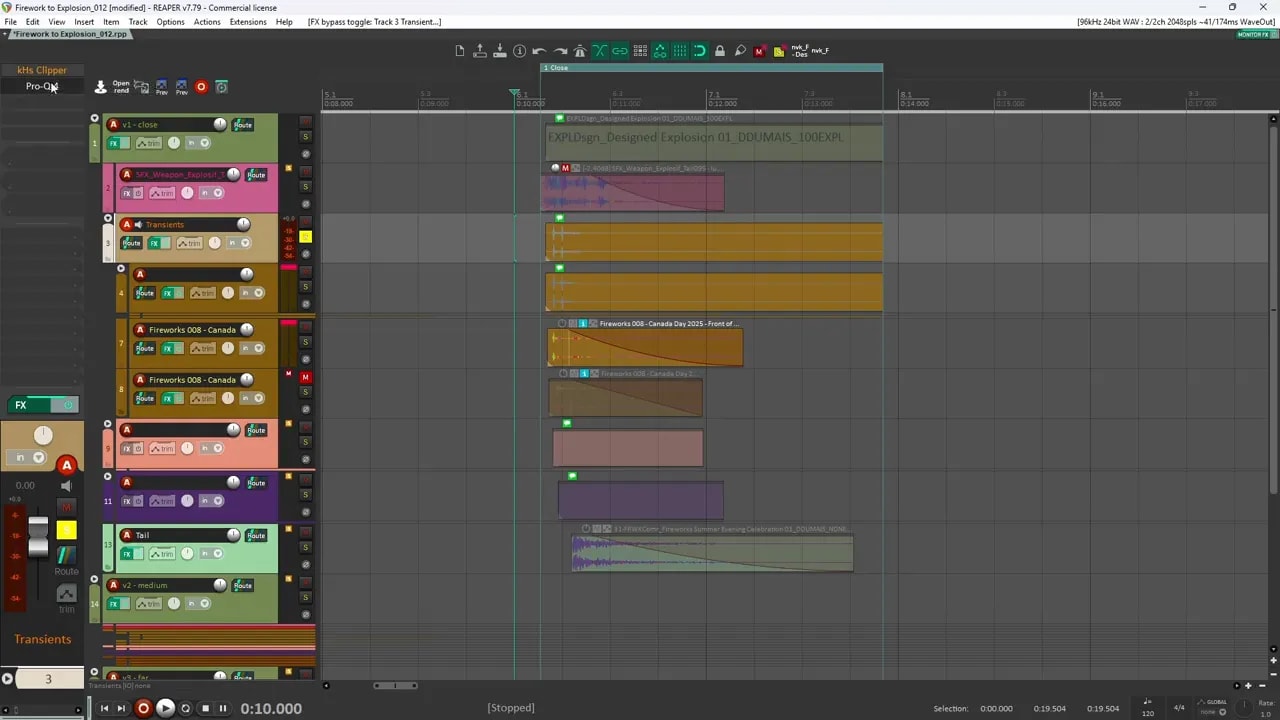
Do not line every sound up exactly on the same frame. A little spacing between layers creates movement and helps the explosion feel like it has multiple components rather than one single sample.
Shape the individual transient layers
For each main pop, use processing to emphasize what is already useful in the recording:
- Quantum: Add more click and definition to the firework pop.
- Transient shaper: Bring the attack forward for a stronger initial hit.
- Bassmaker: Restore body and low end after shaping the transient.
- Saturation or distortion: Add density, grit, and aggression.
- EQ filtering: Remove unwanted low end so the transient stays clean and punchy.
The goal is not to make each layer huge on its own. Each layer should have a job. One may provide click, another provides punch, and another may add a bit of crunch or extra popping texture.
Once the transient layers are working together, process them on a bus. A clipper near the end of the chain can add a lot of punch and crunch. It is a personal preference, but it is a great way to make the impact feel more solid without relying only on volume.
Create the Close Explosion Tail
After the initial hits, build the body of the explosion with a mid tail and a longer tail. Sometimes the cleanest tail is made from two separate portions of the source recording. This is especially useful when one section contains unwanted pops or other noises you do not want in the final result.
For the main mid tail:
- Pitch it down to make it heavier.
- Add distortion for more density.
- Filter out excess airy high end.
- Use a clipper for more impact.
- Add low end weight with Bassmaker.
Filtering is important here. The airy top end works well at the initial moment of the explosion, but it usually does not need to stay present for the whole tail. Let the sound become heavier and less bright as it develops.
Then layer additional small transient pops into the middle of the sound. These give the explosion some movement and make it feel less like a single boom followed by a static wash.
Finally, place a longer tail later in the timeline. That delayed hit can suggest the explosion reflecting from a wall, trees, mountains, or another distant surface. It gives the sound a sense of environment without needing to overdesign it.
Finish the close explosion on the master bus
Once the layers are balanced, add light final processing on the master bus to glue the effect together:
- Spiff: Boost some of the transient detail for a poppier result.
- Soothe: Control rough or harsh resonances.
- Clipper: Add the final bit of punch and keep the sound feeling dense.
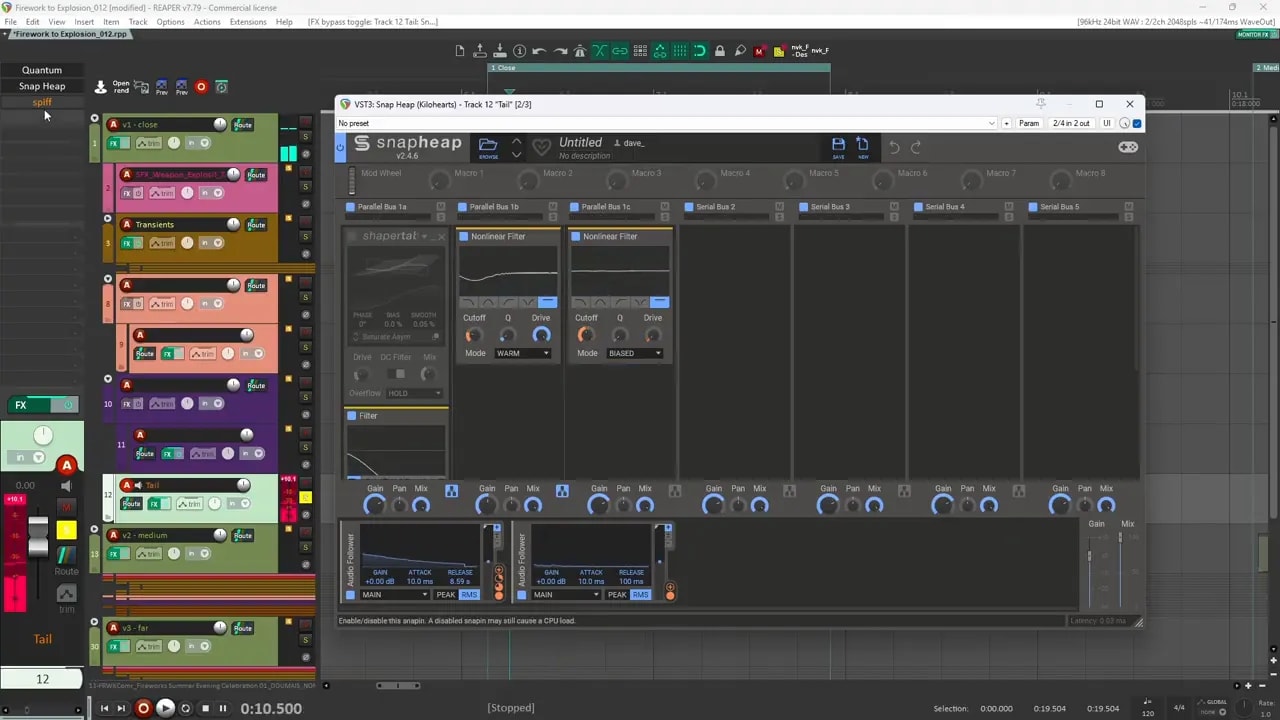
At this stage, listen carefully to the arrangement, not only the processing. The spacing between every impact and tail layer is doing a huge amount of the work.
Create a Medium Distance Explosion
To make a medium distance variation, start by copying the close explosion arrangement. Keep the main transient structure, then change the tail and overall weight so it feels farther from the listener.
One useful master bus addition is Enforcer. It adds some kick and sub, which can make the medium explosion feel heavier while still preserving distance.
Replace the tail instead of rebuilding everything
The biggest change for the medium version is the tail. Find a different source tail that feels less immediate and more distant, then build it from two layers:
- Distance layer: The main sustained tail that establishes the explosion’s size and placement.
- Crackle layer: Firework crackle transformed into distant debris-like texture.
The crackle layer adds realism. On its own, it may simply sound like fireworks, but after processing and blending, it can feel like distant debris and texture trailing behind the main blast.
For the main distant tail, add weight with Bass Maker, then use parallel processing to introduce a different flavour of distortion. Modulating some processing with an audio follower can make the distortion change dynamically with the sound instead of staying completely static.
Use Spiff in the opposite way from the close explosion if necessary. Rather than boosting the attack, cut unwanted transient pops from the tail. The tail should not repeat the close firework crack at the beginning. It should support the explosion after the main impact has already happened.
Use filtering across the tail to make it feel as if it is travelling farther away over time. The result should gradually lose some weight instead of staying equally bassy from start to finish.
Tame the highs for distance
If the transient still feels too close, filter some of the high frequencies. Reducing bright high end is a simple and effective way to push a sound farther into the distance.
You can keep the same initial transient from the close variation, but a little high frequency reduction helps it sit farther back. Combined with a new tail, extra sub weight, multiband processing, distortion, and filtering, the result becomes a more distant version of the same explosion family.
Design a Far Distance Explosion
For the far explosion, you have a few good options. The main decision is how much of the original close transient you want to keep.
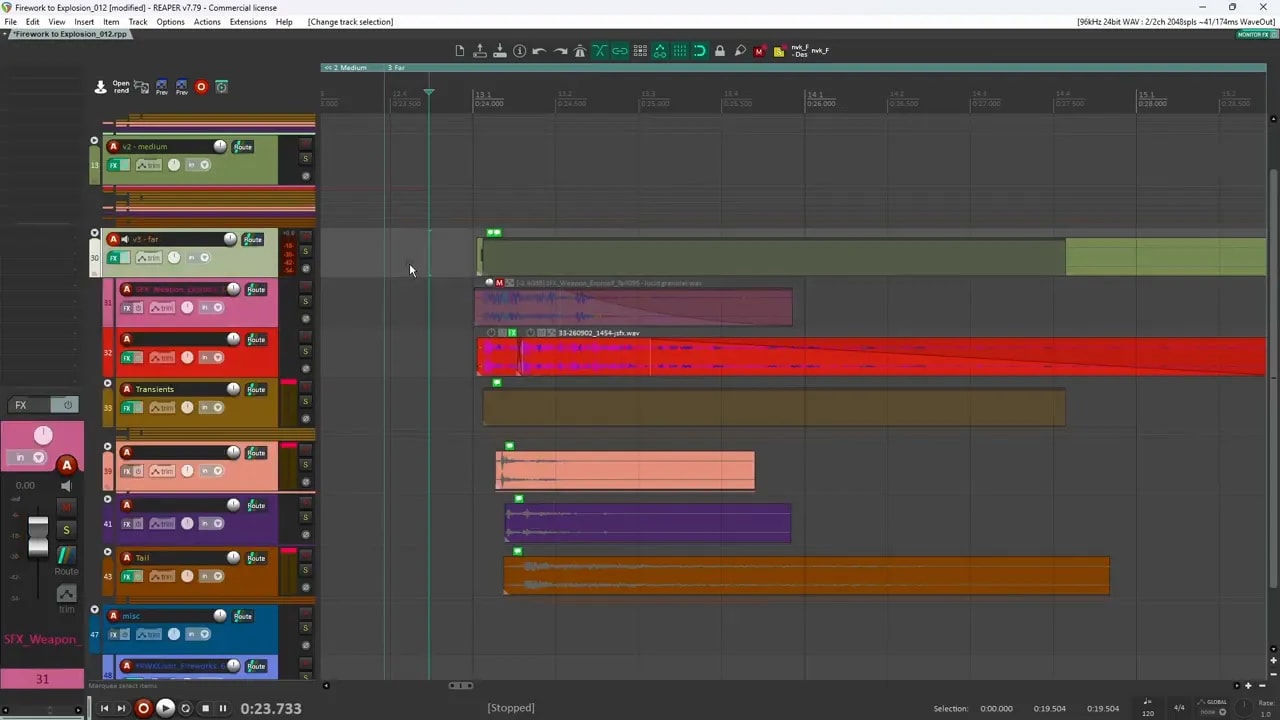
Option 1: Remove the close transient
The sharp transient is one of the biggest clues that an explosion is nearby. If you mute it completely, the effect immediately feels farther away. This is a good choice when the sound needs to be distant, atmospheric, or partially obscured by the environment.
Option 2: Use a high shelf to reduce brightness
If removing the transient makes the sound too soft, keep it but use a high shelf to reduce the highs. This preserves some definition while pushing the explosion farther back.
Option 3: Add a more distant tail
You can also create another tail specifically for the far variation. The far version should still have a clear cadence. Do not let it become only a vague wash of sound.
A defined one two pattern can still work at a distance, especially when the first part has enough attack to establish the event.
Use transient shaping selectively
For the first small segment of a far explosion, a transient shaper can help the attack punch through. Keep the processing focused on that opening section rather than affecting the entire sound. Then follow it with filtering to keep the overall result distant.
This gives you clarity without accidentally bringing the whole explosion too close.
Process and Export Custom Tail Layers
When you find a useful long firework tail, process it separately and export it as a new asset. This gives you more custom material to use in the main session.
A practical tail processing chain can include:
- Pitching down the source
- A disperser for additional character
- Clipper saturation
- A channel strip preset for broad shaping
- LFO movement to vary attack emphasis and distortion mix
The LFO movement is not about making the effect random for no reason. It adds subtle change to the processing so the tail has more life and the attack can receive extra emphasis at the right moment.
Export several processed tails from different source segments. Then bring those back into the explosion session and arrange them as needed. This is a simple way to turn one recording session into a flexible library of explosion materials.
If you want a broader approach for building effects from layers, check out this sound design workflow for creating almost any sound effect.
A Simple Explosion Sound Design Checklist
- Record or find fireworks with close pops, clean individual shots, long tails, and crackle.
- Choose a few transients and arrange them in a clear cadence.
- Shape the transient layers with attack enhancement, saturation, EQ, and low end support.
- Build a mid tail from pitched-down, filtered, and distorted material.
- Add small pops and crackle for movement and texture.
- Place a delayed long tail to suggest environmental reflection.
- Use bus processing to add final punch, control harshness, and glue the layers together.
- Duplicate the design for medium and far variations, then adjust tails, brightness, transients, and sub weight.
Keep It Simple and Realistic
There are plenty of ways to design an explosion sound effect, but you do not always need massive sample stacks or extreme processing. A handful of carefully selected firework recordings can go a long way when every layer has a purpose.
Focus on the core ingredients:
- A strong initial cadence
- Controlled low end weight
- Textured tails
- Less high end as distance increases
- Intentional timing between impacts and reflections
That is enough to turn ordinary fireworks into useful, realistic explosion SFX for games and film. For more raw material to experiment with, you can also grab the free sound designer starter pack.