If you want a simple way to decode mid-side recordings in Reaper without messing up your original files, this setup works really well.
The goal is straightforward. You want to drop in your mid and side recordings, hear them properly decoded in stereo, and still keep everything flexible for editing, processing, and exporting later.
Instead of duplicating files and baking changes into the audio right away, this approach keeps the whole thing non-destructive. That means your source recordings stay untouched, and you can still shape the stereo image, process specific parts of the signal, or export different versions when needed.
Why build an MS decoder this way?
A common mid-side decoding method is to duplicate the side channel, pan the copies left and right, then invert the polarity of one side.
That works, but it is not the cleanest setup if you want an easy reusable template. It also makes the session less flexible because you are creating altered copies just to hear the recording correctly.
This folder-based routing approach is better when you want to:
- keep your original mid and side files untouched
- drag recordings into a ready-made template
- process the mid and side signals independently
- export full stereo, mid only, or side only versions
- stay organized for sound design work
The basic track layout
Start with two mono tracks:
- Mid for the center microphone
- Side for the figure-8 microphone
Import your recordings so the mid file sits on the top track and the side file sits on the second track.
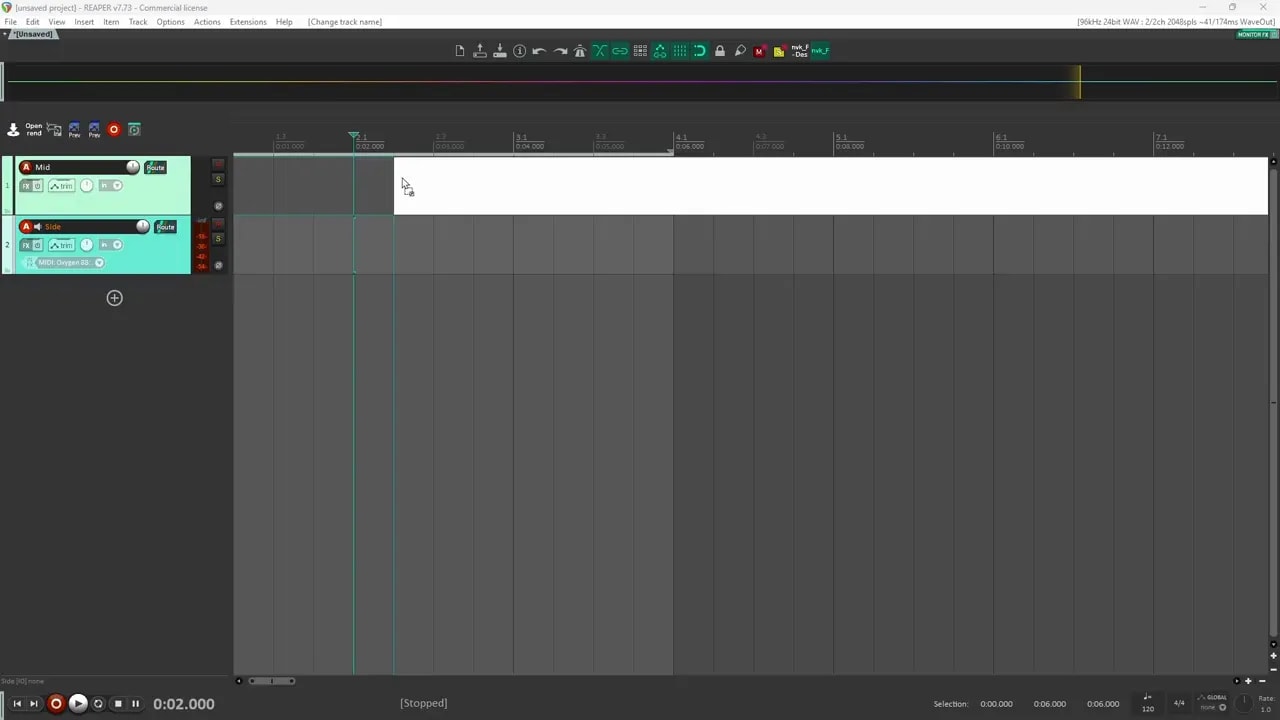
At this stage, you are just looking at the raw recordings. Nothing is decoded yet.
Create the decoder routing
Now put those tracks inside a parent folder or sub-track. This gives you a clean container for the original recordings.
Next, create two new tracks that will become your decoded side channels:
- one for the left side
- one for the right side
Route the original side track to both of these new tracks.
Then disable the direct output of the original side track so you do not hear it on its own. From this point on, what you hear should come from the two decoded side tracks instead.
Quick routing check
Before panning anything, it is worth confirming that both side tracks are receiving the same signal.
A quick way to test that is:
- mute the mid track temporarily
- invert the polarity on one of the duplicated side tracks
- play the sound
If the routing is correct, the two identical side signals should cancel each other out and you should hear nothing.
That tells you the signal is duplicated properly.
Pan and decode the side signal
Once the routing checks out, pan one side track hard left and the other hard right.
Make sure the pan is fully at 100 percent.
Now the side information is spread across the stereo field. On its own, that signal should sit wide with nothing anchored in the center.
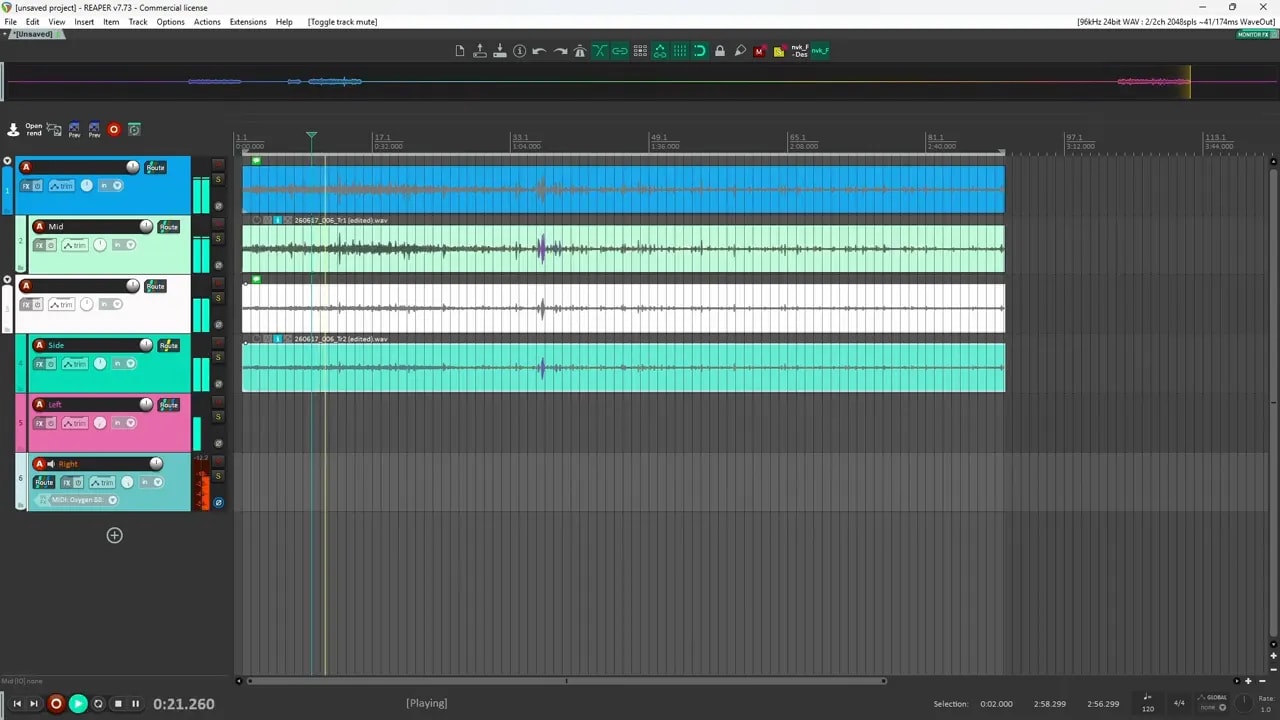
When you bring the mid track back in, the center returns and the full stereo image becomes stable.
That is the basic MS decoder.
The extra template structure that makes this useful
You can stop there if all you want is a decoder, but adding a bit more structure makes the template much more practical.
The next step is to organize the routing into folders so you can manage everything quickly.
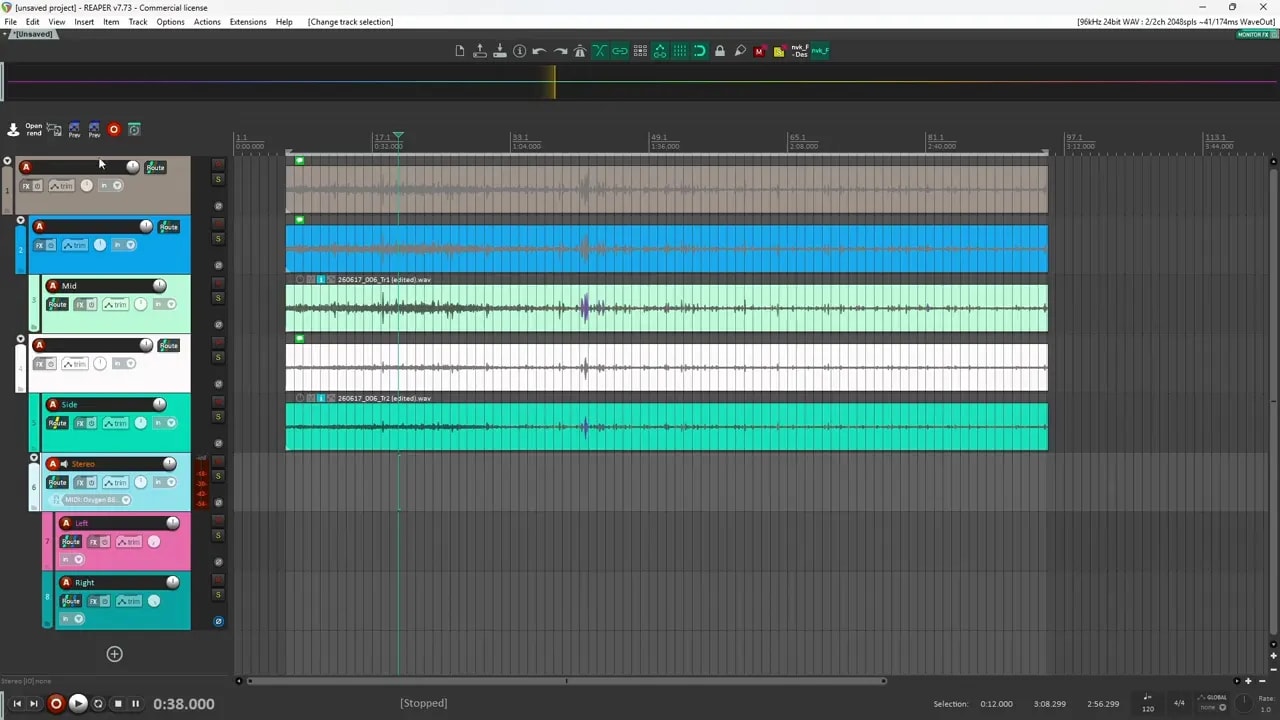
A useful layout looks like this:
- Top-level folder containing the entire MS setup
- Original source folder with the raw mid and side recordings
- Stereo folder holding the left and right decoded side tracks plus the resulting stereo structure
This makes it easier to move the whole setup around as one item, especially if you are working with larger sound libraries or complex sessions.
In this setup, folder items from nvk.tools are used to keep things fast and tidy, but the overall template concept works even if you build it manually.
Why this FLEXIBLE setup is better
This is where the template really starts paying off.
Because the original recordings are left alone, you gain flexibility in a few important ways.
1. You can export multiple versions easily
With a structured folder setup, you can name and export different parts of the recording separately.
For example, you could export:
- the full decoded MS stereo file
- the mid signal only as mono
- the side information only as stereo
That is useful if you want alternate deliverables, want to archive components separately, or want to use the mid and side signals differently later.
A naming approach like this keeps things clear:
- Rain Amb MS for the full decoded sound
- Rain Amb MS Mid Mono for the center channel
- Rain Amb MS Sides Stereo for the width information
2. You can process specific parts of the recording
This is one of the biggest advantages.
Because the mid and side portions are separated in the routing, you can apply plugins exactly where you want:
- process only the mid if the center needs EQ or cleanup
- process only the sides if the stereo width needs shaping
- process the left or right side independently if needed
- process the full stereo result on the bus
And again, none of that requires altering the original source files.
That is especially helpful when working on ambience, field recordings, or detailed game audio assets where you may want several variations from one recording pass.
3. You keep your edit options open
Sometimes you need the decoded stereo version.
Sometimes you need to go back to the raw source and edit the original mid or side recording directly.
This template supports both without forcing you to rebuild the routing every time.
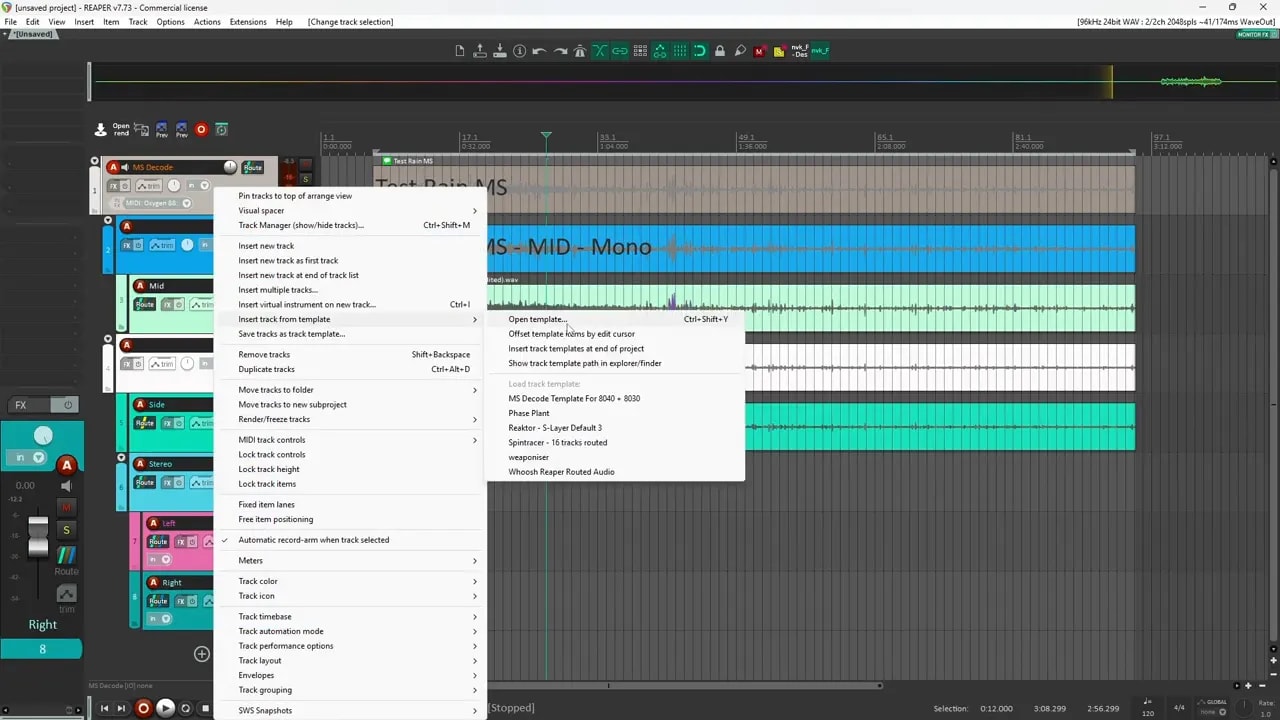
Saving it as a reusable Reaper template
Once the routing is working, save the track setup as a template in Reaper.
That way you can recall it whenever you record or import MS material.
The real benefit is speed. Instead of rebuilding the decoder from scratch, you can just:
- load the template
- drag in your mid and side files
- start listening and working immediately
If you spend a lot of time inside Reaper building sound effects, templates like this save a surprising amount of time over the long run. You can find more Reaper and sound design resources on the David Dumais Audio blog.
A simple recap of the signal flow
Here is the full setup in a compact form:
- Create a Mid track and a Side track.
- Import the two mono recordings.
- Place them inside a folder for the raw source.
- Create two new tracks for the side decode.
- Route the original side track to both new tracks.
- Turn off the original side track’s direct output.
- Invert polarity on one decoded side track.
- Pan one decoded side track hard left and the other hard right.
- Bring the mid track back in to restore the center image.
- Optionally create additional folders for organization and export control.
- Save the full setup as a track template.
Why this matters for sound design
Mid-side recording is powerful because it gives you control after the recording is done. You are not locked into one stereo image.
But that flexibility only really helps if your DAW setup stays clean and easy to use.
A drag-and-drop MS decoder template in Reaper gives you exactly that:
- faster importing
- better organization
- cleaner exports
- more precise processing
- zero need to damage the source recordings
For anyone recording ambience, foley, or environmental sounds, this is a great little utility template to keep ready at all times.
Additional Resources
If you want some extra material to experiment with in your own sessions, grab the Sound Designer’s Starter Pack.