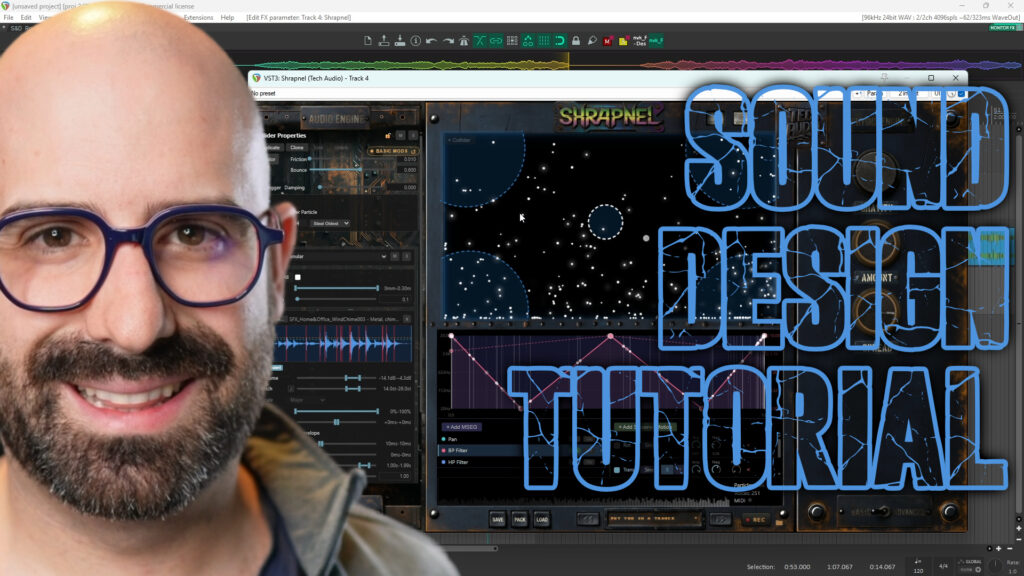
Every once in a while, a plugin comes along that makes me want to keep experimenting. Shrapnel by Tech Audio is one of those plugins. It can turn a handful of recordings into mechanical layers, explosive blasts, whooshes, strange textures and evolving ambiences, often in ways I would not have arrived at with a traditional sampler.
Tech Audio gave me a free copy of Shrapnel, but did not ask me to write about it or have any say in my assessment. After spending a week with it, I think it is a powerful and genuinely fun sound design tool. It also has a few problems worth knowing about.
How Shrapnel works
Shrapnel is a physics sandbox for triggering audio. An emitter releases particles into a field. When those particles collide with a surface, they trigger sounds. Instead of placing every hit by hand, you shape the particles’ movement and let their collisions create the timing and variation.
Start with one sound and one emitter in the centre of the field. Trigger the emitter, and a particle drops toward the bottom. Each time it hits, the sound plays. That simple setup explains the basic idea, but the interesting results come when you change the physics, add obstacles and connect collision positions to audio parameters.
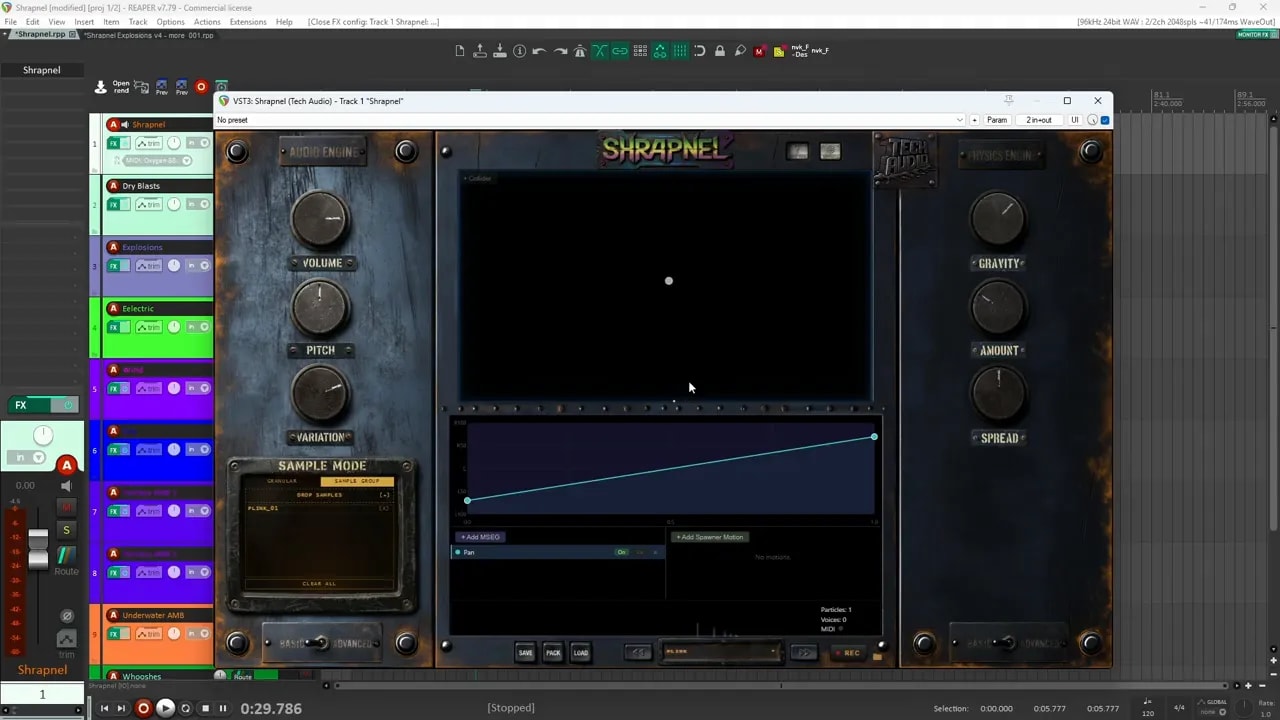
The main controls
- Volume and pitch affect the overall output. Individual particle settings can also be adjusted in the advanced controls.
- Variation changes how widely sounds vary within their pitch and volume ranges. Keep it low for similar hits, or raise it for more noticeable differences.
- Gravity controls how particles travel. Stronger gravity makes them fall faster and bounce more. Bring it toward zero for a floating motion, or use negative gravity to send them upward.
- Particle amount changes how many particles are released and how quickly they appear.
- Spread widens the area they emerge from. A wider spread can create a busy, scattered result.
One small usability detail I appreciate: double-clicking a knob resets it to its default value. That makes it much easier to experiment without worrying about getting back to your starting point.
Make each collision change the sound
If Shrapnel only triggered samples at irregular intervals, it would still be useful. Its real strength is that where a particle hits can change what you hear.
You can map position across the sandbox to panning, pitch, volume and filters. For example, particles hitting on the left can sound quieter and lower, while hits on the right sound louder and higher. Spread particles across the field and the result can also move across the stereo image.
The available filter modulation includes low-pass, high-pass and band-pass options. Filter Q is adjustable too. Raising Q in a wind texture, for instance, can introduce a more noticeable whistling quality. Shrapnel can also trigger MIDI information, including channel and velocity settings, although that is not a feature I have used much.
These mappings give you a way to design a sound’s progression inside the sandbox. A particle might begin with a bright, loud collision and continue into quieter, darker, lower-pitched hits as it moves through another part of the field. That is much more interesting than simply replaying the same sample.
Control the emitter’s movement
You can move the emitter to change where particles begin. Right-clicking and dragging gives it a directional force, so particles shoot across the field before bouncing off surfaces.
Spawner motion takes that further. You can automate:
- Translation: Move the emitter horizontally or vertically. Set how far it travels and how quickly it moves.
- Rotation: Turn the emitter so it fires in changing directions.
- Strength: Vary how hard particles launch, mixing short, soft movements with longer, stronger ones.
Motion can follow a smooth sine pattern or a more random noise pattern. Combine translation, rotation and strength, and a relatively simple group of source sounds can produce a lot of different outcomes.
Build a patch with samples and colliders
For a quick mechanical patch, I dragged several mechanical recordings into Shrapnel’s sample bank and triggered the emitter using MIDI CC4 from my keyboard. Triggering by MIDI is convenient when I want to keep my hands off the computer keyboard and focus on generating variations.
Next came colliders. These are shapes placed inside the sandbox that particles can bounce off before reaching another surface. Shrapnel offers circles, rectangles and triangles. I tend to like circles because particles bounce around them in interesting ways, adding extra hits and complexity.
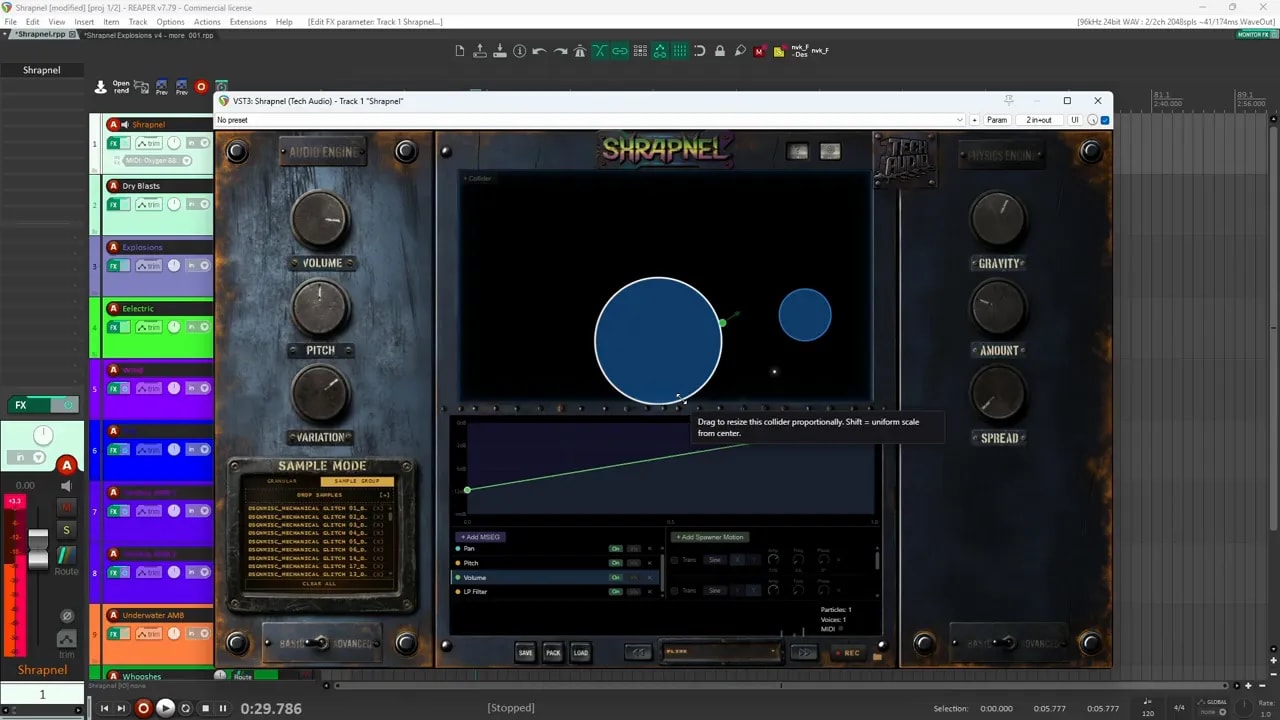
Collider placement matters. If I am building an impact with a tail, I can use the field’s volume, pitch and filter mappings to make later collisions quieter and darker. Putting a collider in a useful corner helps guide particles into that area rather than sending them back toward the louder part of the field.
Loading samples is straightforward, though larger groups or longer files may take a little time to appear. You can also change particle length, use automatic spawning and choose different triggering options. The basic workflow is to load a few promising sounds, set up the field, then adjust the physics until the collisions give you a shape you like. It fits nicely into a broader sound design workflow built around choosing a source, shaping it and refining the result.
What kinds of sounds can it make?
When I test a sound design plugin, I usually ask whether it can handle three jobs:
- Impacts: Can it create a convincing attack and useful tail?
- Whooshes: Can I shape how the sound rises, develops and fades?
- Ambiences: Can it work with longer material and bring elements in and out over time?
Those tests tell me whether I can control the sound’s envelope and use the plugin for more than one narrow effect. Shrapnel did well across all three, although its results are often best treated as material to select and refine rather than a guaranteed perfect sound on every trigger.
Blasts and explosions
For a set of dry blast sounds, I loaded designed hits made from Foley recordings, likely including jacket impacts. Pitching those recordings far down gave them more weight. I then used additional processing to strengthen the transients and low end, including saturation, a bass-making effect and clipping.
Inside Shrapnel, I treated one side of the field as the loud impact area and the other as the tail. As particles travelled into the tail area, lower volume, lower pitch and low-pass filtering helped the sound die away.
I used some of those blast sounds as source material for a more complex explosion patch, with translation and rotation adding variation. Not every trigger produced exactly the explosion I wanted. Some, though, produced excellent usable moments. A sampler running alongside the plugin let me capture those moments and bring them into a project. If you want to explore the source-recording and layering side of this process, my foley-to-explosion workflow goes into that approach in more detail.
Electrical sounds and elemental textures
A recording of drill bits and pieces became an electrical effect after I pitched it far up, making the hits short and sharp. Some filter shaping and clipping helped finish it. That is a good example of why I like working from unexpected recordings: the source does not have to sound electrical to become useful electrical material.
I also tried Shrapnel’s granular engine with wind, fire and water sounds:
- Wind: A whoosh sample produced shifting wind-like textures. Filter Q could push some of the results toward a whistle.
- Fire: A file containing several fire whoosh variations became a source for new, layered fire movements.
- Water: A recording of me shaking a smoothie bottle with liquid inside produced a range of watery textures.
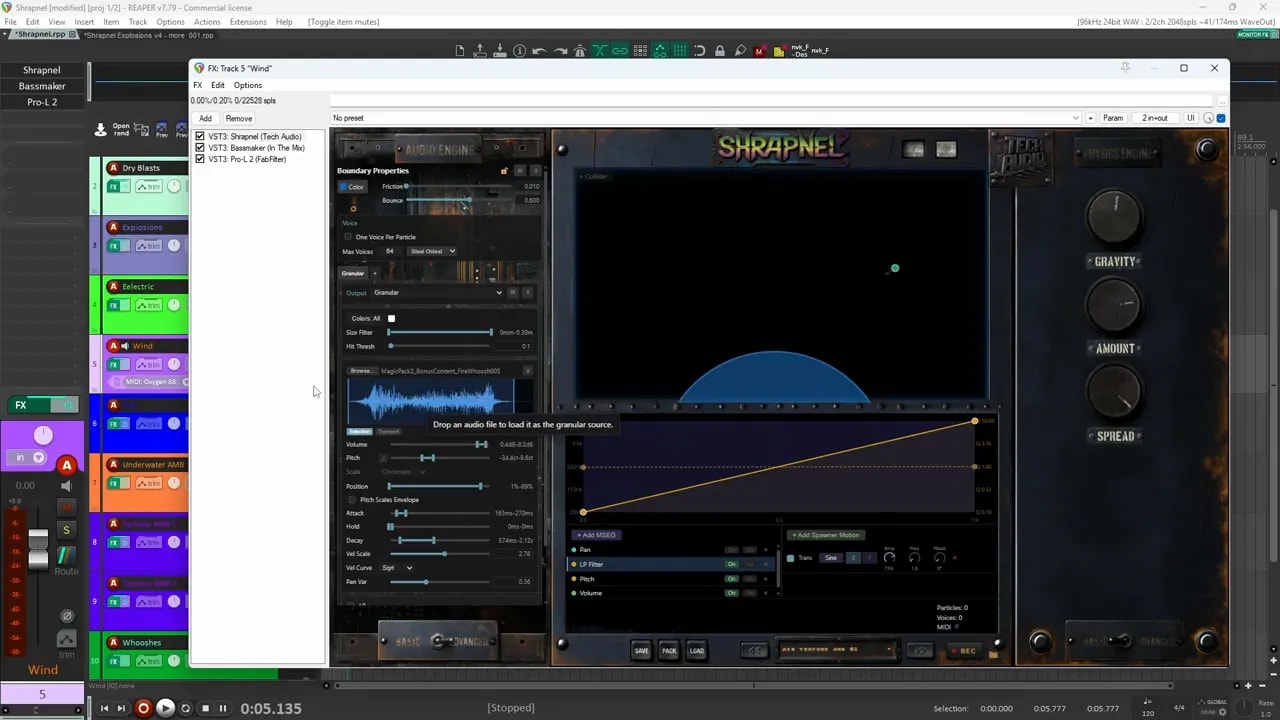
In granular selection mode, Shrapnel chooses small portions from a selected area of a file. This is useful when a longer recording contains material worth exploring in different combinations.
Fantasy ambiences
I loaded a pond ambience I had recorded into the granular engine, used selection mode to draw from different parts of it and pitched the result down. It did not turn into a realistic pond recording. It became more of a fantasy ambience, which was exactly what made it interesting.
An evening insect recording worked in a similar way. The output was useful as an ambience layer or as the base for further design. If you need a natural environmental recording, keep the original. If you want that recording to become something less familiar, Shrapnel gives you a quick way to explore it.
Whooshes, glitch impacts and debris
For another test, I loaded a small selection from a much larger collection of whooshes I had designed. Shrapnel acted like a layering engine, but one where the physics and position-based modulation could create more complicated combinations than simple sample playback.
I then challenged the granular engine with a single long, aggressive file made from layered effects. This time I used transient mode, which detects peaks and starts playback from one of them when triggered. The results were glitchy impacts, as you might expect from glitchy source material. A second file with more kick-like sounds produced another set of rough impacts after I adjusted the transient threshold.
Even simple wood impacts became useful: combining them in the sandbox gave me the impression of pieces of wood falling over one another, creating debris-like sounds. That kind of discovery is where Shrapnel is at its most fun.
Where Shrapnel needs work
As much as I enjoy using it, I ran into one issue that affected my patches and a few workflow limitations I would like to see improved.
- Large or long sample loads can leave the sample bank inaccessible. In my testing, loading roughly more than 150 sounds into a sample group sometimes meant the sounds still played but no longer appeared in the list. I could not clear or edit them there. I encountered a similar problem with a granular file around five minutes long. Removing and reloading the plugin was the only workaround I found, and saving the affected patch as a preset preserved the problem.
- Long tails are hard to stop between attempts. If one variation keeps ringing out and I want to trigger a clean new one immediately, I have not found a convenient way to cut off the previous sound. Disabling and re-enabling the plugin can stop it, but that interrupts the workflow.
- There are very few starting presets. Beyond the initialized and plink presets, the examples in my preset list are ones I built myself. Starting points for impacts, textures, ambiences or collider layouts would make the plugin easier to explore.
- Slow spawner motion needs finer control. The frequency controls make it difficult to dial in small changes at low speeds. I rarely need the much faster end of the range, so I would rather have more adjustment room near zero.
There are also a few additions I would love to have:
- Editable granular envelope curves. The granular controls include attack, hold and decay, but I would like to shape the attack and decay curves themselves, particularly for whooshes.
- A selected region in transient mode. Selection mode lets me limit which part of a file is used. Transient mode chooses peaks from the whole file. Being able to choose transients from just one region would give me much better control.
- Collider randomization. I would love to choose a number of shapes, their types and a size range, then generate a layout that I could adjust by hand.
- Surround sound support. A physics-based field feels like a natural fit for sounds bouncing among more than two channels.
Is Shrapnel worth trying?
For me, yes, especially if you enjoy experimenting with source recordings and collecting the best results. Shrapnel can produce convincing impacts, layered whooshes, mechanical movement and unusual ambiences from very different kinds of material. Its physics-based approach makes it feel less like programming a sampler and more like setting a sound in motion.
The sample-bank issue is the biggest caution from my time with it, so I would start with smaller sample groups and avoid relying on very long granular files until you have tested them. If the workflow sounds useful for your projects, Shrapnel has a free trial. Give it a few recordings and see where the particles take them.