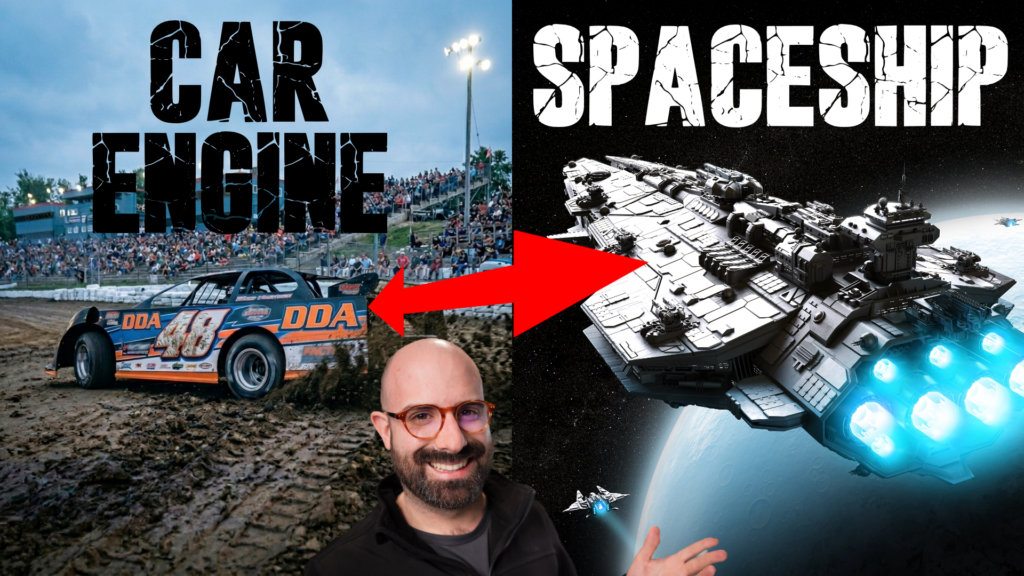
Racecar recordings are packed with energy, movement, grit, weight, and real-world texture. That makes them much more useful than simple vehicle sounds. With a little processing, a rev, pass-by, or close-up engine recording can become a spell, a creature layer, a spaceship, a landing sound, or a huge bass drop.
I used recordings from my Dirt Track Racing SFX library for these examples, but the bigger idea applies to any strong mechanical source. Start with an interesting recording, then shape its motion, pitch, tone, and character until it becomes something completely different.
Why Racecar Audio Works So Well for Sound Design
Racecars already have many of the qualities that sound designers often try to create from scratch:
- Broad frequency content: engines can have low-end weight, midrange aggression, and high-frequency air.
- Natural movement: revs and pass-bys provide built-in rises, falls, acceleration, and Doppler character.
- Texture: dirt, wind, vibration, exhaust, and engine harmonics add detail.
- Realism: a real recording can ground a fantasy or sci-fi sound and make it feel more believable.
The main trick is to stop thinking of the source as “a car.” Listen for the part that could become a roar, sweep, burst, pulse, tail, or tonal layer.
1. Create Whooshes and Spells
Racecar recordings can make really great whooshes because they already contain speed, air, and changing pitch. You can push this further with spatial motion, granular processing, filters, and modulation.
Build a fast-moving spell with spatial motion
For one design, I routed 16 different race recordings into a spatial effect called Spin Tracer. Each source was assigned to one of the visual orbs, so the sounds could move around the listener in different directions.
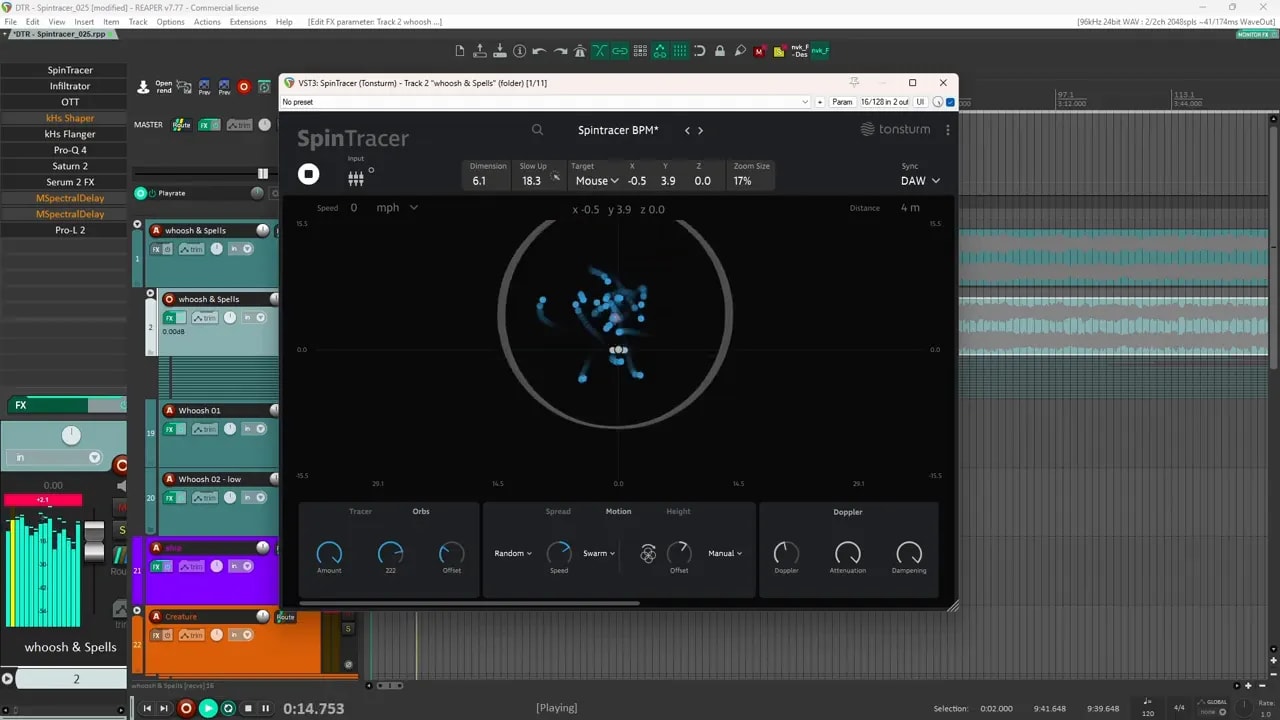
The random swarm movement is especially useful here. Slowing it down slightly keeps the sources from moving too wildly while still giving the sound an active, swirling feel.
From there, you can adjust the amount of Doppler effect depending on the result you want:
- Use more Doppler for aggressive, fast flybys.
- Use less Doppler for subtle movement and texture.
- Leave the movement running for a constantly evolving ambient layer.
Use granular synthesis for controllable whooshes
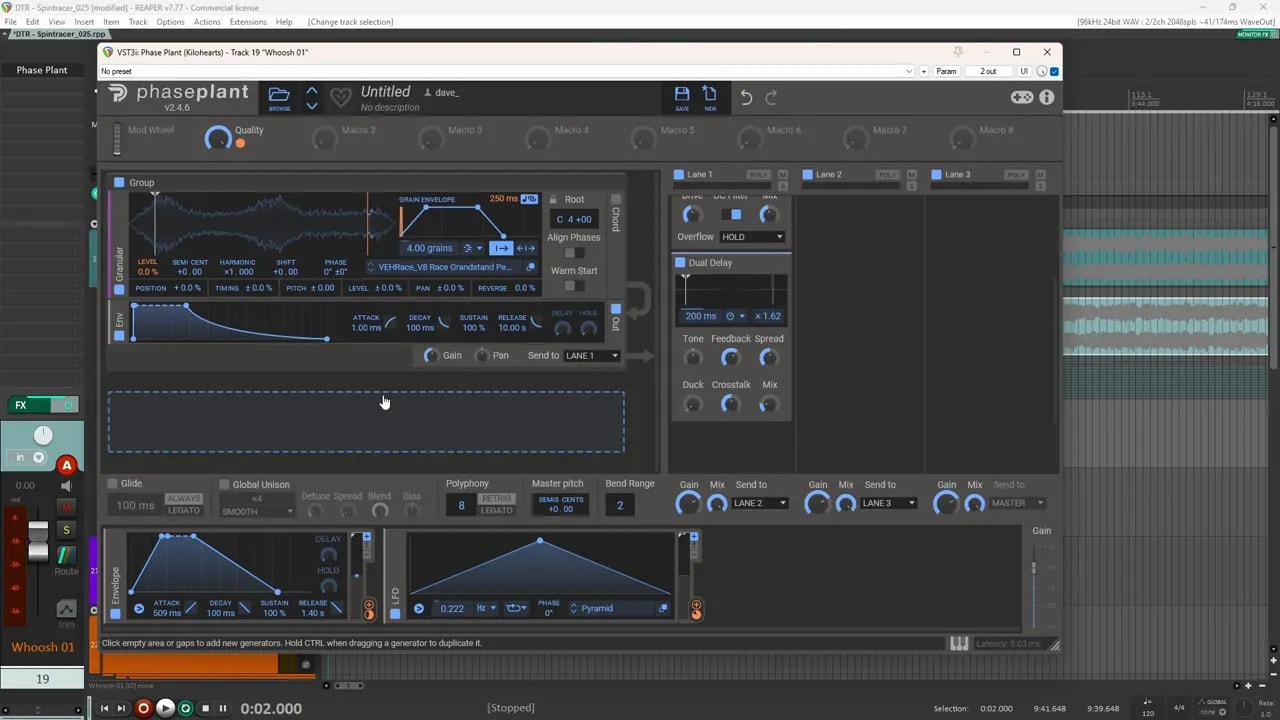
Another approach is much simpler. Load a race recording into a granular synth, add some distortion and delay, then use modulation to create the shape of the whoosh.
The important pieces are:
- An envelope controlling volume: this gives the sound its attack, body, and fade.
- An LFO moving the playback position: this changes where the granular engine begins in the source recording.
- Randomness: each trigger starts from a different point, helping the sound avoid feeling repetitive.
- Grain length control: short grains can feel sharp and textured, while longer grains can feel smoother and more substantial.
For a thicker, thunderous whoosh, try a different source recording and a different envelope shape. Add a pitch tracker to move a filter, then use transient shapers to emphasize the attack and sustain. One transient shaper can find and slightly boost peaks, while another can create a bit of pump by reducing the middle portion between attack and sustain.
That combination gives you a bigger, beefier low-end whoosh rather than a light airy sweep.
Turn engine harmonics into a tonal magic sparkle
You can also get magical, bell-like tones from racecar audio. Use two race recordings, run them through a filter table, and modulate that table with a very slow random LFO.
The slow movement brings out different resonances from the recording over time. Add delay and reverb afterward so those resonant tones can ring out.
This technique is not limited to car recordings. Almost any textured source can produce interesting tonal material when you scan through resonances slowly enough.
2. Design a Sci-Fi Ship Sound
A loud, meaty engine recording is a great starting point for a spaceship or spacecraft sound. The goal is not to hide the engine completely. It is to transform its strength and movement into something that feels larger and more futuristic.
Start by splitting the source into parallel paths:
- Apply a filter to the first path.
- Modulate the filter cutoff slightly with an audio follower.
- Pitch that layer down by 12 semitones for more weight.
- Duplicate the filtering idea on a second parallel path, but set the filter lower.
- Add an ensemble effect to the second path instead of pitch shifting it.
Once those parallel layers are combined, process the whole sound with a few more effects:
- Phaser
- Comb filter
- Ensemble
- Delay
- Reverb
- A light transient shaper
Finally, add a sub filter for extra low end and raise the level carefully. The result keeps the aggression of the original engine but shifts it toward a large sci-fi ship sound.
If you want to explore motion-focused sci-fi design further, I also break down a related approach in this spaceship flyby sound tutorial.
3. Use Racecar Revs as Creature Layers
Close-up engine revs are especially useful for creature design. They are strong, dense, and naturally aggressive. On their own, they may not sound like creatures, but they can be excellent supporting layers under vocalizations, roars, squeals, and mouth sounds.
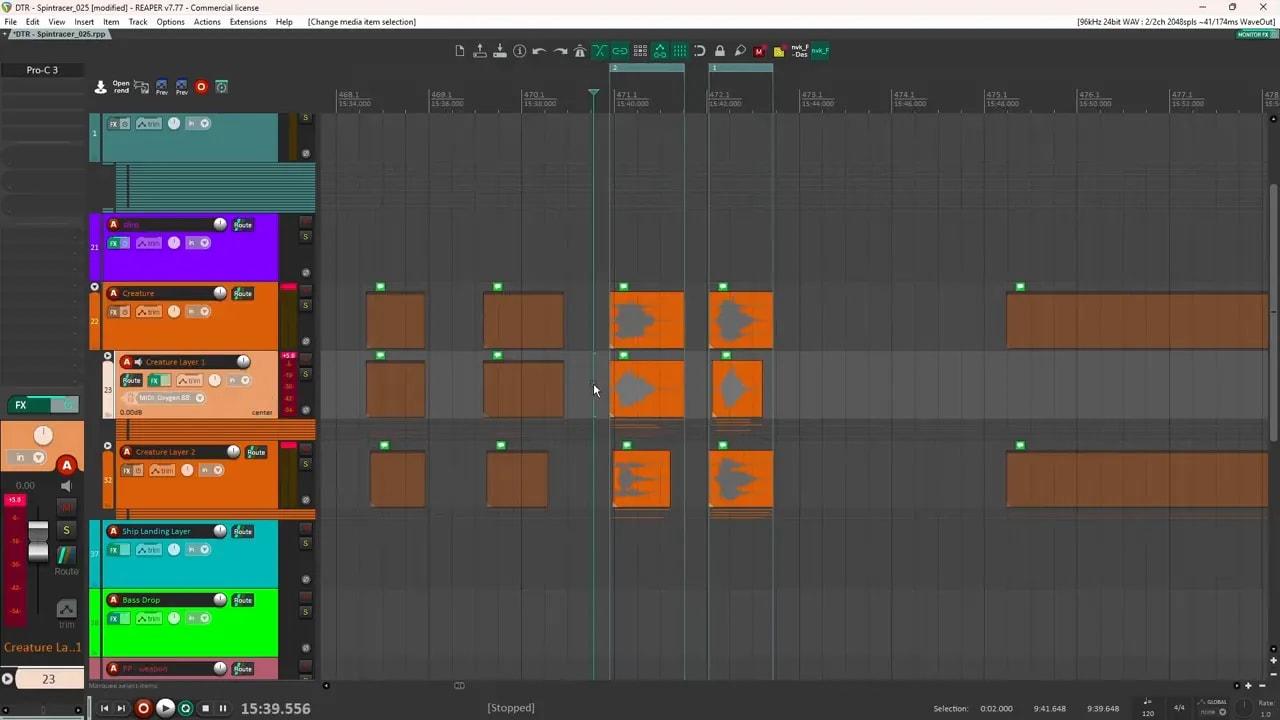
Make the engine layer more vocal
One rev recording had an airy character without much obvious vocal tone. To make it more creature-like, I processed it with saturation, limiting, pitch shifting, tremolo, and a sub synth.
The tremolo was particularly useful for adding a more vocal quality. Combined with the low-end support from the sub synth, the engine recording became a much stronger layer beneath a creature sound.
Another layer used ring modulation to bring out vocal-like movement. Ring modulation can take an already interesting rev and make it feel stranger, more animated, and less obviously mechanical.
Support the creature instead of forcing the source to do everything
The car recordings do not have to carry the whole creature sound. In fact, they often work best as a supporting layer.
For example, if your main creature sound uses pig squeals, your own vocal recordings, or other animal material, engine layers can:
- Fill in the low end.
- Add power and body.
- Give the creature a heavier presence.
- Add aggression beneath the more recognizable vocal elements.
Spectral processing can also help. Applying spectral effects to a layer can introduce a liquid, mouthy character that makes the final result feel more organic and unusual.
4. Create Ship Landings, Pass-Bys, and Mechanical Tails
A single interesting car rev can become a useful sci-fi transition or mechanical element. One rev in the middle of a source file became a sound that could work as a ship pass-by layer, a flyby tail, a landing-gear element, or a descending mechanical movement.
The design was simple: one LFO was assigned to several parameters at once.
- Pitch moved downward over time.
- Filters changed as the pitch fell.
- Reverb increased to make the sound feel larger as it descended.
That is a useful reminder that you do not always need a complicated chain. One well-routed modulator can create a lot of movement if it controls several related parameters.
5. Turn a Fast Pass-By into a Bass Drop
Fast racecar pass-bys are perfect for bass drops because they already have a natural sweep. The source moves past the microphone, creating a strong sense of motion that can be exaggerated into a huge descending impact.
The basic approach is:
- Pitch the recording downward.
- Use filtering to cover the higher frequencies as the sound falls.
- Add a little distortion for extra density.
- Blend in a synth tone as the source loses energy in the sub region.
I used an analog-style synth with a sine wave that slowly entered as the car recording went lower. As the original sound started fading in the sub range, the synth filled in the missing low end and kept the bass drop feeling solid.
You can push this further with resonance if you want a more pronounced low-end peak, but even the simple version can be very effective.
Bonus Ideas: Weapon Layers, Electrical Sounds, and Spectral Scanning
Once you start treating racecar recordings as raw material instead of literal vehicle audio, there are plenty of other directions to explore.
Weapon and impact layers
A processed engine burst can become a useful layer for a weapon sound. It will not give you the whole effect by itself, since a weapon still needs punch, weight, impact, and other components. But as a sci-fi layer beneath the main design, it is a strong place to start.
Liquid electrical effects
For a more tonal and liquid electrical sound, use the car recording as the main source, then introduce a wavetable to modulate its phase. This creates an FM-like character and can shift the source away from static or noise toward something more musical and fluid.
Add a lower synthetic layer underneath, such as a sine or triangle wave, to provide a cleaner octave below the processed recording. This is similar to the bass-drop technique, but applied to an electrical sound instead.
Spectral scanning with granular synthesis
Another fun direction is what I think of as spectral scanning. It is essentially granular synthesis with lots of random LFO modulation.
Assign separate random LFOs to different parameters, such as:
- Playback position
- Pitch
- Filter table cutoff
- Frequency shifting
With several modulators scanning rapidly through the source file, a racecar recording can become a strange, animated sci-fi texture. Add distortion if the result feels too clean.
A Simple Way to Approach Any Source Recording
The same mindset works whether you are using racecars, appliances, tools, animal recordings, or field recordings. If a sound feels bland, break it into a few simple design decisions:
- Choose the role: Is it a main sound, a supporting layer, a transition, or a tail?
- Shape the motion: Use envelopes, LFOs, pitch, and filtering.
- Change the identity: Try granular synthesis, modulation, saturation, ring modulation, or spectral processing.
- Fill the gaps: Add sub layers, vocal layers, or complementary texture where needed.
- Keep what works: You do not need to force every recording into a finished sound effect.
For a more repeatable method, use this sound design workflow for creating almost any sound effect to move from a rough source to a more complete design.
Racecar Audio Can Ground Fantasy and Sci-Fi Sounds
One of the best reasons to use real racecar recordings in fantasy, creature, or sci-fi design is that they bring a bit of reality into the result. Even when the finished effect is heavily processed, the original source can add physicality, movement, and detail that is difficult to fake.
Most of these sounds can be made fairly quickly. Spend more time layering, refining modulation, and shaping the final edit, and you can get some very cool and unique results.
Additional Resources
- Download the free sound design starter pack for royalty-free sound material for your next game audio project.
- Browse game sound effect packs for more sound design resources.